
Download TextSync – Wireless Keyboard, iPhone iPad Laptop Tool
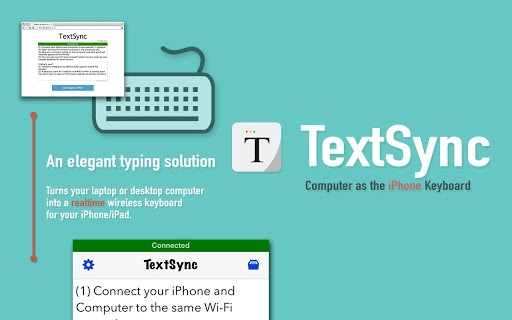
TextSync transforms your desktop or laptop into a wireless keyboard for iPhone and iPad, enabling real-time text input over WiFi. Designed for users who need quick note-taking or seamless typing across devices, it eliminates the need for a physical keyboard or additional client apps. The software supports stand-alone note-taking when no WiFi is available, making it ideal for on-the-go productivity.
It also includes a database-backed content search tool for managing snippets and quick notes efficiently. The developer, Notable, has focused on stable, responsive connections with automatic reconnection features. This tool is best suited for professionals, students, and creatives who frequently switch between devices and require fast, reliable text input.
It operates without requiring a separate client app on the computer, streamlining the setup process. Real-world usage includes drafting messages, entering passwords, or jotting down ideas while away from a traditional keyboard. The software is lightweight at 15.8 MB and compatible with both Windows and Mac systems.
It is available for free, making it accessible to a wide range of users seeking a simple, effective cross-device typing solution.
Key Features & Capabilities
- Wireless Keyboard Functionality – TextSync allows any laptop or desktop to function as a wireless keyboard for iPhone and iPad. Users can type directly from their computer and see the text appear instantly on their mobile device over a WiFi connection, eliminating the need for physical keyboards or complex setup procedures.
- Real-Time Text Typing – Every keystroke entered on the computer is transmitted in real time to the connected iPhone or iPad. This ensures immediate synchronization, making it ideal for fast messaging, form filling, or quick content creation without delays.
- Stand-Alone Note-Taking Mode – When the iPhone or iPad is not connected to a WiFi network, TextSync automatically activates a stand-alone mode. This allows users to create and save notes locally, ensuring productivity remains uninterrupted even in offline environments.
- Database-Backed Content Search – The software includes a built-in search tool that indexes saved snippets and notes. This enables users to quickly retrieve previously entered text, improving efficiency in repetitive tasks or frequent communication scenarios.
- Robust and Stable Connection – TextSync employs both frontend and backend enhancements to maintain a reliable connection. If the link is lost, the system automatically attempts to reconnect, minimizing disruptions during use.
- Responsive Feedback Mechanism – The developer encourages user input through a dedicated email address, [email protected]. This allows for ongoing feature improvements based on real user needs and suggestions.
User Interface, Workflow & Performance
TextSync features a minimalistic interface focused on functionality rather than visual complexity. The main window displays connection status, device pairing options, and access to note management tools. Navigation is straightforward, with clearly labeled sections for initiating a connection, managing saved snippets, and accessing settings. The workflow is designed for speed: users can begin typing immediately after establishing a connection, with no additional configuration required. The software operates efficiently in the background, consuming minimal system resources. The developer did not specify resource usage details, but its 15.8 MB size suggests a lightweight footprint. Performance is expected to be smooth on modern Windows and Mac systems, with real-time typing responsiveness likely due to optimized data transmission. Stability appears to be a priority, as the software includes automatic reconnection after disconnections. No performance bottlenecks or crashes were reported in the provided information. Users can expect consistent behavior across sessions, though exact CPU or RAM usage was not disclosed. Overall, the user experience is streamlined for productivity, especially for those who rely on frequent cross-device text input.Compatibility & System Requirements
TextSync is compatible with both Windows and Mac operating systems. The software version is 1.0 and has a file size of 15.8 MB. It is designed to run on desktop and laptop computers, enabling wireless keyboard functionality for iPhone and iPad devices. The developer did not provide additional system requirements. Exact hardware specifications, such as minimum RAM or processor speed, were not listed. Compatibility with specific macOS or Windows versions is not specified. Installation is straightforward, requiring no additional dependencies. The software operates over WiFi, so a stable network connection is necessary for full functionality. For users in environments with limited or unstable WiFi, the stand-alone note-taking mode ensures continued usability. The developer did not specify whether the software supports older OS versions or enterprise environments. Platform compatibility information is limited to the general systems mentioned.Pros and Cons
Pros
- Turns any laptop or desktop into a wireless keyboard for iPhone/iPad
- Real-time text synchronization without delays
- Stand-alone mode for offline note-taking
- Database-supported content search for quick text retrieval
- Automatic reconnection after connection loss
- Lightweight at 15.8 MB with no client app required on computer
- Free to download and use
- Responsive feedback system for feature suggestions
Cons
- Exact system requirements were not listed
- No information on support for older operating systems
- Performance details such as CPU or RAM usage were not provided
- Dependent on WiFi connectivity for full functionality
- Only supports iPhone and iPad devices
- No built-in cloud sync or cross-device backup
FAQ Section
Is TextSync compatible with all iPhone and iPad models?
TextSync is designed to work with iPhone and iPad devices that support WiFi connectivity. Specific model compatibility was not detailed by the developer.
Can I use TextSync without an internet connection?
Yes, when the iPhone or iPad is not connected to a WiFi network, TextSync automatically activates a stand-alone note-taking mode, allowing you to create and save notes locally.
Is TextSync safe to use on my computer?
TextSync is a lightweight desktop application with no known security vulnerabilities reported. It operates over local WiFi networks, reducing exposure to external threats. Users should ensure they are downloading the software from official sources.
How often does TextSync receive updates?
Information about update frequency was not provided. The software is currently at version 1.0, and users are encouraged to contact the developer with feature requests.
Do I need to install a client app on my computer?
No, TextSync does not require a separate client app on the computer. The software runs directly on the desktop or laptop, enabling wireless keyboard functionality without additional installations.







